


In the highly visual world of digital marketing and blogging, stunning photography is no longer just a luxury; it is an absolute necessity.
Whether you are building an online portfolio, writing a detailed product review, or sharing travel stories, the images you use will immediately tell your audience how professional your brand is.
However, editing dozens of photos from scratch can be incredibly exhausting and time-consuming. This is exactly where free Photoshop actions become your ultimate secret weapon.
Wait, before we dive into the wonderful world of photo editing… Having beautiful, high-resolution images is only half the battle. If you place those stunning photos on a slow, poorly coded website, your visitors will leave before the pictures even load!
If you’re serious about building a fast, secure WordPress site, consider upgrading to Genesis Pro. It provides premium tools, beautiful beginner-friendly layouts, and unmatched security to ensure your beautifully edited photos are displayed perfectly to the world. Click here to explore Genesis Pro and supercharge your site today!
Now, let us explore everything you need to know about Photoshop actions and discover the absolute best free Photoshop actions available for you to download right now!

Recommended Reading: 50 Free Responsive Web Design PSD Templates
You may also like the following WordPress inspiration articles:
- 30 Free Responsive PSD Website Templates
- 40+ Free And Premium Responsive WordPress Themes
- 60+ Best Responsive WordPress Themes
- WordPress Themes – 30 Hot New Template Designs
- 30 Excellent and Inexpensive Responsive WordPress Themes
- 10 Best WordPress Themes From ThemeForest
- 60 Best WordPress Themes Showcase
Browse through this collection, find the ones that suit your needs, and try them with your own photos. You’ll find that you are able to create some really amazing effects in very little time with the help of the right actions.
What Are Photoshop Actions?
To understand Photoshop actions, think about baking a cake. If you bake a cake from scratch every single day, you have to measure the flour, crack the eggs, add the sugar, and mix it all together step-by-step. It takes a lot of time. But what if you had a magic button that instantly mixed all those exact ingredients for you in one second?
In Adobe Photoshop, an “action” is that magic button. It is a pre-recorded sequence of editing steps. A professional graphic designer or photographer will sit down, apply multiple complex adjustments to a photo (like changing the contrast, boosting the colors, adjusting the brightness, and adding a vintage filter), and then press “save” on that exact sequence.
When you download their Photoshop action file (which always ends in .atn), you can apply all of those professional adjustments to your own photograph with just a single click of your mouse. It takes a process that usually requires thirty minutes and shrinks it down to one second.
Why Use Photoshop Actions?
You might be wondering if downloading Photoshop actions for photographers is actually worth your time. Here is why both beginners and seasoned professionals rely heavily on them:
1. Massive Time Savings
If you just returned from a long trip or finished a big product photoshoot, you might have hundreds of photos to edit. Doing this manually is a nightmare. With actions, you can edit an entire folder of photos in a fraction of the time, allowing you to focus on writing your blog posts or managing your business.
2. Perfect Consistency
If you run a professional website, your images need to look like they belong together. If one photo is dark and moody, and the next photo is overly bright and colorful, your website will look messy. Actions ensure that the exact same lighting, color grading, and style are applied to every single image you upload.
3. Learning from the Experts
When you run a Photoshop action, you can actually look at the “Layers” panel in Photoshop to see exactly what the creator did. You can see how much they adjusted the brightness or which specific color curves they tweaked. It is like having a master photographer sitting right next to you, showing you their closely guarded editing secrets!
The 10 Best Free Photoshop Actions for 2026
There are thousands of actions available on the internet, but many of them are outdated or produce low-quality results. We have scoured the web to find the absolute best Photoshop actions that you can download completely for free today.
Free Whitening Teeth Photoshop Action
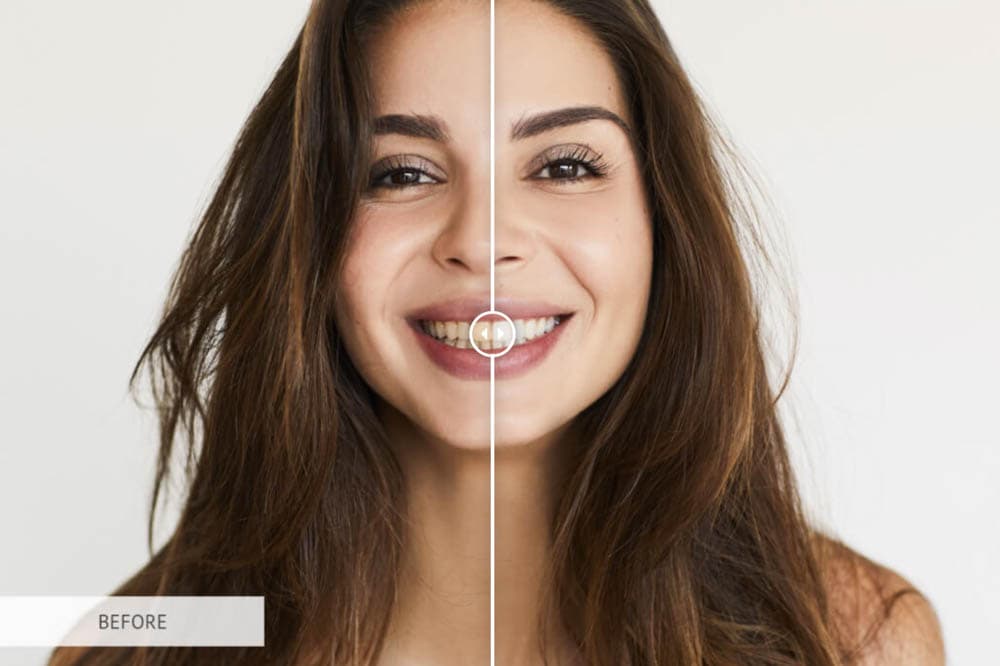
When taking close-up portraits, the lighting can sometimes cast strange yellow or dull tints onto a person’s smile. This free action from FixThePhoto creates an instant adjustment layer that specifically targets the mouth area to safely and naturally brighten teeth without making them look fake.
- Who should use it: Portrait photographers, lifestyle bloggers, and wedding photographers.
- Pros: Fixes a very common photography problem instantly and keeps the results looking highly natural.
- Cons: If you push the opacity or brightness too high, the teeth can look unnaturally glowing.
- Example Use Case: A travel blogger taking a smiling selfie while exploring the wide-open spaces of Montana, needing a quick way to ensure their smile pops before uploading the photo to their website.
Skin Retouching Photoshop Actions
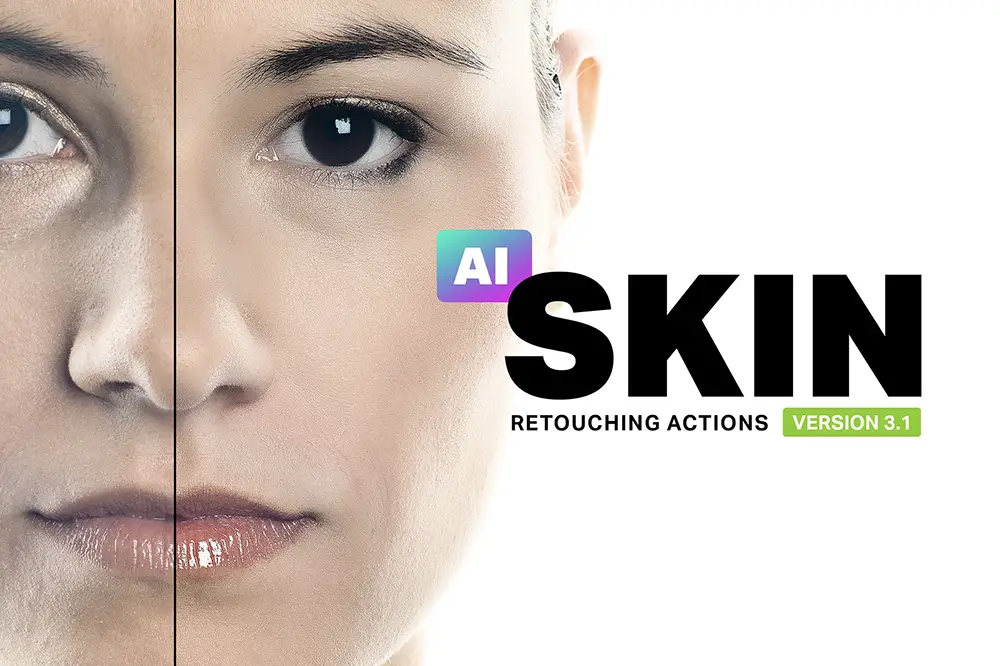
While the internet is full of great freebies, sometimes investing in a professional-grade toolkit saves you hours of frustration. This premium Envato action pack acts as an automated digital makeup artist. It handles high-end skin airbrushing, blemish removal, and tone correction in a single click, allowing you to bypass the steep learning curve of advanced retouching.
- Who should use it: Professional portrait photographers, beauty influencers, and commercial studio artists.
- Pros: Delivers ultra-realistic, non-destructive skin smoothing that maintains natural pores and texture without creating a fake, “plastic” look.
- Cons: Requires an active Envato Elements subscription, making it a paid option unlike the rest of the list.
- Example Use Case: A blog owner polishing up a professional author profile picture for their website’s “About Me” page, wanting to quickly smooth out a few lines while keeping a natural, authentic look.
Frequency Separation – Blurring Skin
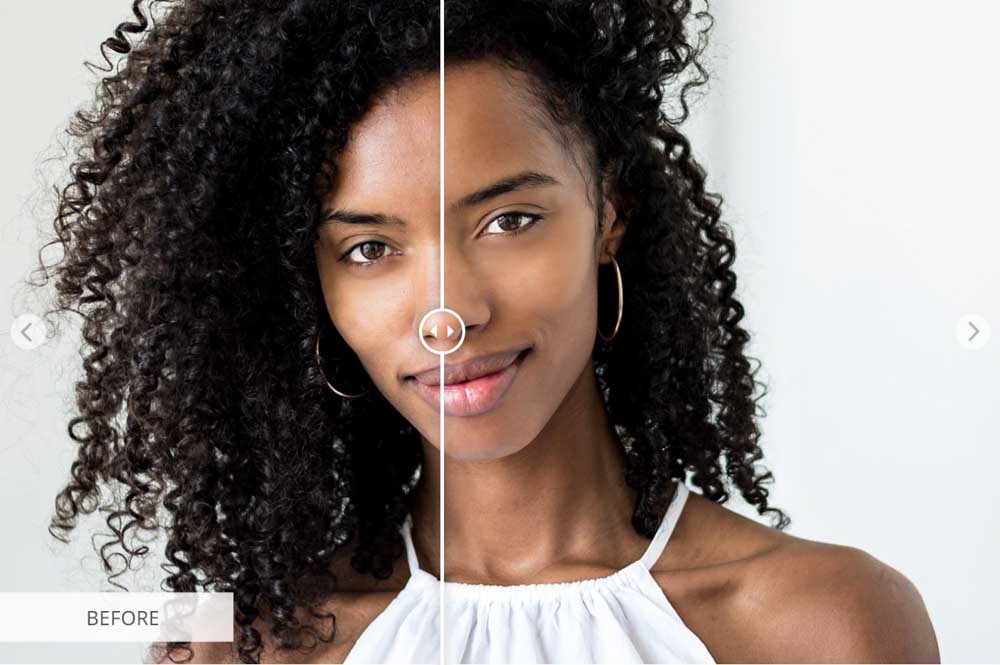
Retouching skin manually is considered one of the hardest skills to learn in Photoshop. Frequency separation is a high-end technique that allows you to remove blemishes and smooth out uneven tones without destroying the natural, underlying texture of the skin. This free download from FixThePhoto sets up all the complicated layers for you automatically, separating texture from color so you can edit like a pro.
- Who should use it: Portrait photographers, fashion bloggers, and anyone creating professional headshots.
- Pros: Gives a magazine-quality retouch, keeps skin looking incredibly natural and textured (not like blurry plastic).
- Cons: You still have to do some manual brushwork with the Mixer Brush or Lasso tool after the action runs to actually blend the skin tones.
- Example Use Case: A blog owner in their 40s updating the author profile picture for their website, needing to smooth out uneven skin tones while maintaining a natural, authentic appearance.
Frequency Separation – Smoothening Skin
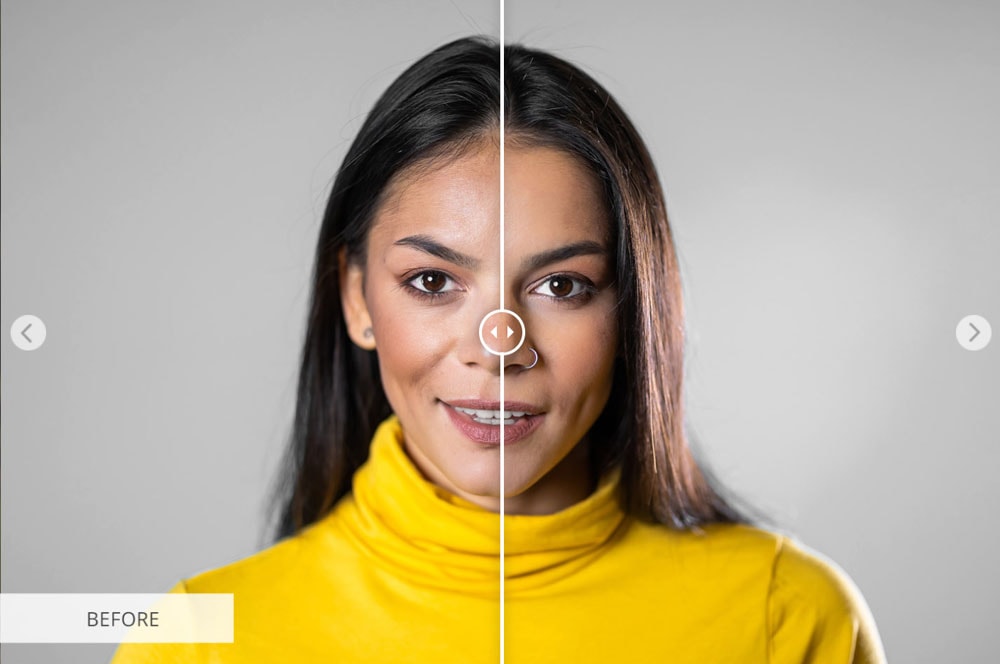
If you want to take your retouching a step further, this alternative frequency separation download from FixThePhoto offers a slightly different layer setup for more advanced control. It flawlessly separates your image’s texture from its colors, allowing you to airbrush underlying tones without blurring the surface details. It works wonders on faces, but can also be used to smooth out fabrics and surfaces.
- Who should use it: Editorial photographers, lifestyle bloggers, and commercial retouchers.
- Pros: Offers pinpoint control over lighting and skin tones while leaving every pore and fine detail perfectly intact.
- Cons: The multi-layer setup can be a bit intimidating for beginners just starting out with Photoshop.
- Example Use Case: A motorcycle blogger writing a gear review for revvrider.com, editing a close-up lifestyle portrait of a rider and needing to clean up uneven skin tones or harsh helmet shadows while keeping the rugged, natural texture of the shot completely realistic.
Free Matte Photoshop Action

If you are a nature or landscape photographer, then this photoshop action is only for you. No matter what photography is your profession or hobby. It will give your photos an amazing look. However, It works very well with a lot of portraits, as well. Try this out!
Free Matte Photoshop Action
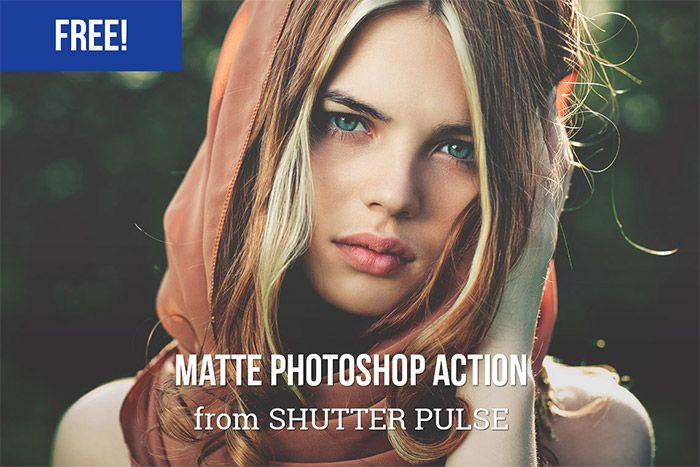
You can give a beautiful matte effect to your photos with this free Photoshop action. It is a sample from our bundle of 25+ Matte Photoshop Actions. This will take your photos to the next level.
Basic Matte Photoshop Actions

If you want to add a matte look in your photos, you should try this basic matte action. This action is available for lightroom and photoshop and compatible with Lightroom 4, 5, 6, and CC as well as with Photoshop CC, CC 2014, and CC 2015 versions.
Deep Matte Lightroom Preset and Photoshop Action

This action will give a strong and deep matte effect. This is quite similar to the Basic Matte Preset and Action. It is compatible with Lightroom 4, 5, 6, and CC as well as with Photoshop CC, CC 2014, and CC 2015.
Free Vibrant Film Lightroom Preset and Photoshop Action

It is an amazing photoshop action. It is compatible with Lightroom 4, 5, 6, and CC as well as with Photoshop CC, CC 2014, and CC 2015.
Free Vintage Matte Photoshop Action

If you want to give a beautiful vintage effect to your photos, you should try this free Photoshop action. Glory Days is a bundle of 17 Vintage Photoshop Actions. If you want to take your photos to the next level, you should definitely try this out.
Free Faded Film Photoshop Action
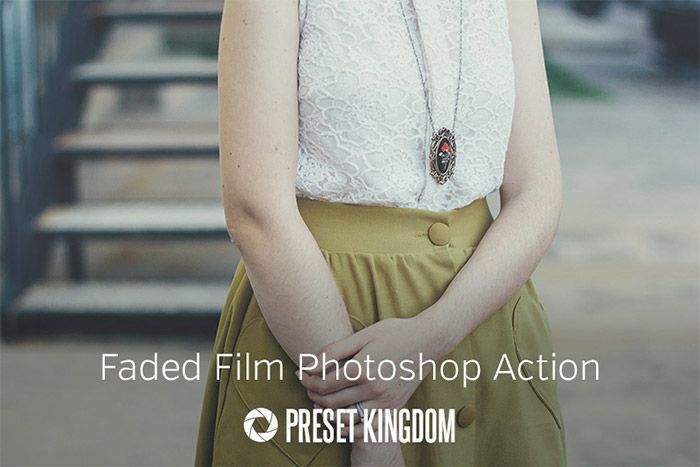
This preset is for both the photographers who take it as a profession or hobby. It is a sample plugin. Premium download is also available. This plugin is amazing. As many photographers use photoshop to process their photos, so that the author created a free sample for photoshop.
Free Old Film Photoshop Action

If you are a nature or landscape photographer, then this photoshop action is only for you. No matter what photography is your profession or hobby. It will give your photos and old film style look. Try this out!
12 Free Fashion Photoshop Actions

Who doesn’t like a good freebie every now and then? Ok, more now than then! Well, it’s our lucky morning. One of the things I have found myself doing was mailing myself images so I could use Instagram filters. Which kind of defeats the purpose of taking photos with a DLSR. Yeah, you can’t make a bad photo good with a filter, but some of those filters really make my images pop.
5 Skin Retouching Photoshop Actions

It is a pro Photoshop retouching action. It will help you to heal, mattify, and airbrush skin with one click.
Crimson Shimmer Photoshop Action
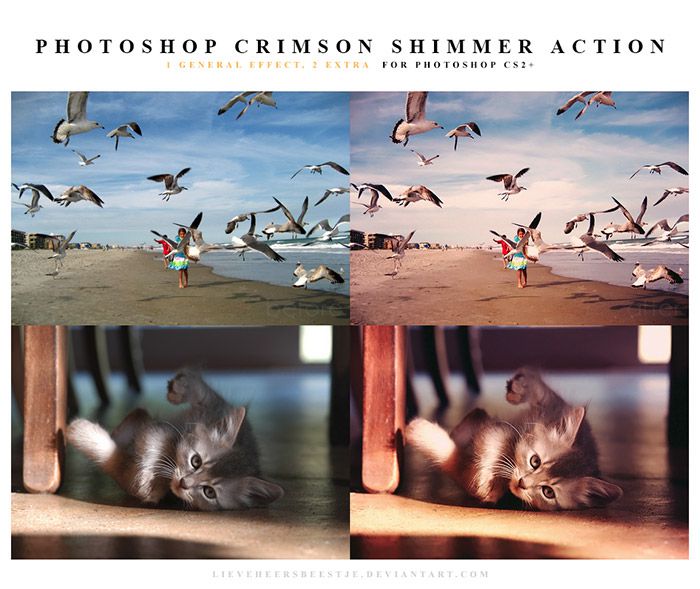
This is a free preset to download. It has the best coloring features. Try this out!
Free Soft Haze Photoshop Action

It is a free Photoshop action to download and use with your own images! It is a bundle of 15+ Haze Photoshop Actions. It is best suitable action for outdoor photos, including portraits. This action will soften and lighten the photo to give it a beautiful look.
Mystical Light Photoshop Actions
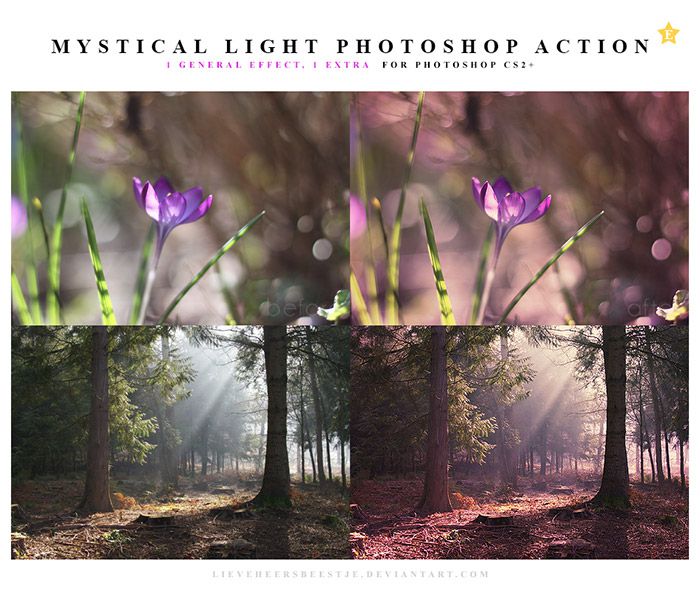
Mystical Light Photoshop action is an amazing preset. Check out the demo and download it now!
Free Nightmare Photoshop Action
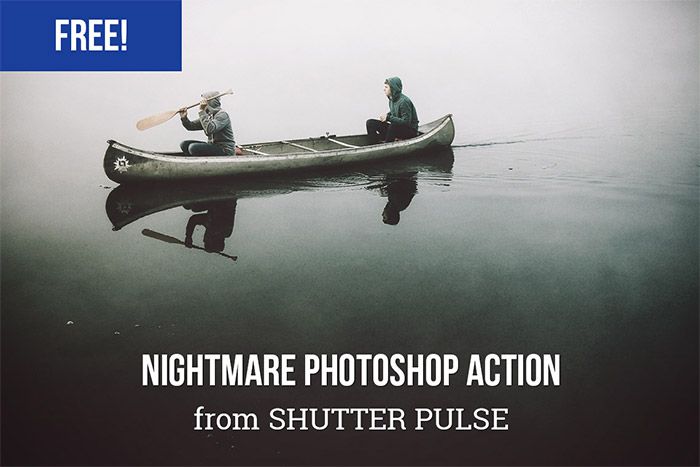
If you want a dark, haunting effect in your photos, you should try this free Photoshop action. It has 10+ free nightmare photoshop actions. It will take your photos to another level. To download this bundle, Simply enter your email address and you will get the download link.
Cold Nightmare Free Photoshop Action

Do you need a dark nightmare effect with just one click in your photos? If yes then download this free photoshop preset to take your photography to the next level. It is compatible with Photoshop CS3 and higher.
Free Intensity Photoshop Action
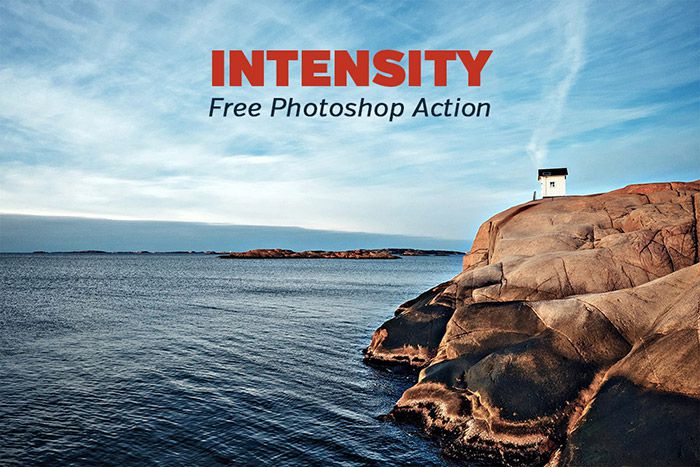
This free Photoshop action from our friends at Shutter Pulse will allow you to add some intensity to your photos. This action comes from their set of Cinema Photoshop Actions and will add some drama and intensity whenever needed. Sample before and after photos are shown below.
Copper Photoshop Actions

It is an amazing free Photoshop action. This action will help you to add some dramatic effects in your image.
Free Blue Evening Photoshop Action
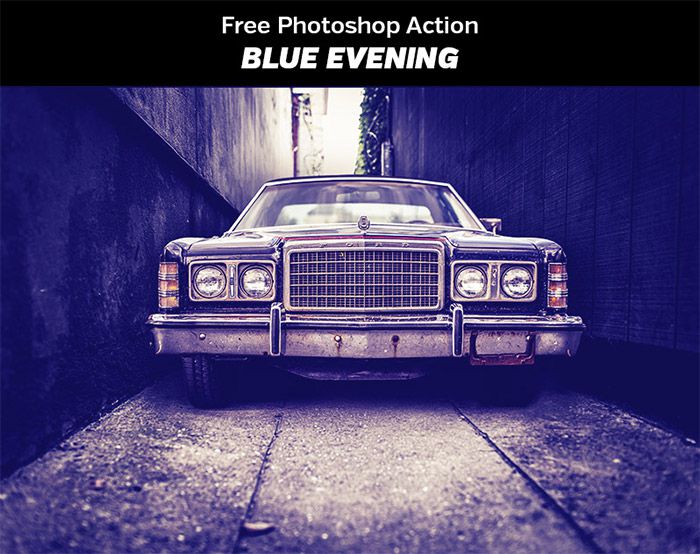
This photoshop action bundle includes 10+ different actions which helps to add drama and intrigue to your images. It is compatible with photoshop CS4 or higher. Another version is available for photoshop elements users and can be used in PSE11 or higher.
Free Lomo Photoshop Action

This is an amazing photoshop and lightroom action. It will give your photos a nice, fun retro vintage look. It is easy to use, so you do not need any advanced knowledge before using it. This action is compatible with Lightroom 4, 5, 6, and CC as well as with Photoshop CC, CC 2014, and CC 2015.
Instant Hipster – 10 Retro Actions

Instant Hipster includes 10 amazing Instagram Photoshop actions. There are 19 more for premium download. This photoshop action will give your photos a nice retro look.
Vintage Heaven Photoshop Action

This is an amazing photoshop action. It helps to give a nice vintage effect to your photos. Vintage Heaven is such a wonderful photoshop action bundle that includes 18+ photoshop preset. If you want to take your photography to the next level, we would recommend you to use this template.
Free Vintage Photoshop Action

A cross processed effect is provided through this action to give your photos a nice vintage look. This action is compatible with Photoshop CS3 and newer versions.
Light and Bright Photoshop Action
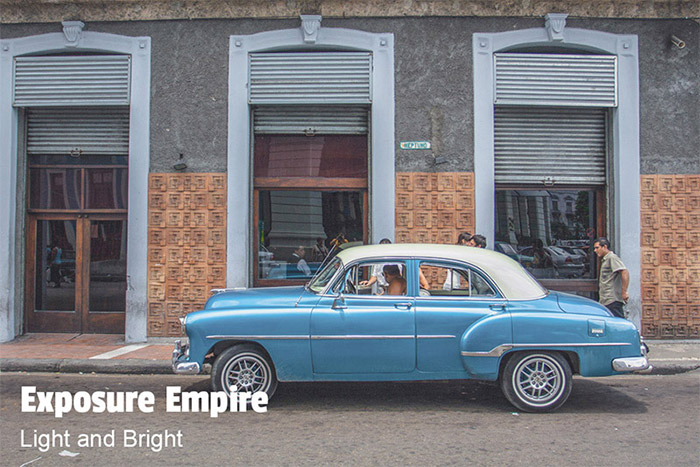
It is an ideal action for photos which are on the darker side. It helps to lighten the photo and give it a bright look. It is compatible with Lightroom 4, 5, 6, and CC as well as with Photoshop CC, CC 2014, and CC 2015.
Intense Photoshop Action

If you want a bold and dramatic effect in your photos then this one will be the perfect choice for you. This actions are compatible with Lightroom 4, 5, 6, and CC as well as with Photoshop CC, CC 2014, and CC 2015.
Vintage Wedding Action

Free Vintage Light Leak Photoshop Action

Vintage Light Leak Action is a free bundle of photoshop presets. It includes 62+ actions for adding light leaks and vintage effects. This action is compatible with Adobe Photoshop CS4 or Higher.
Lomocam

Vintage Light Leak Photoshop Action

Light Leak Photoshop Action

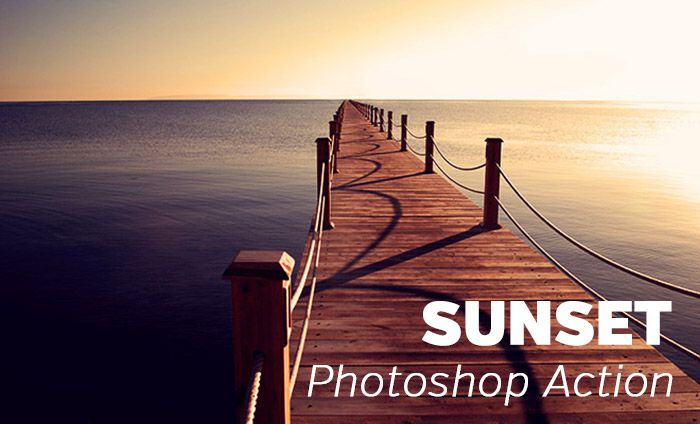
Sunset Photoshop Action
Winter Breeze Photoshop Actions

Creamy Photoshop Actions

Mini Fusion Photoshop Action
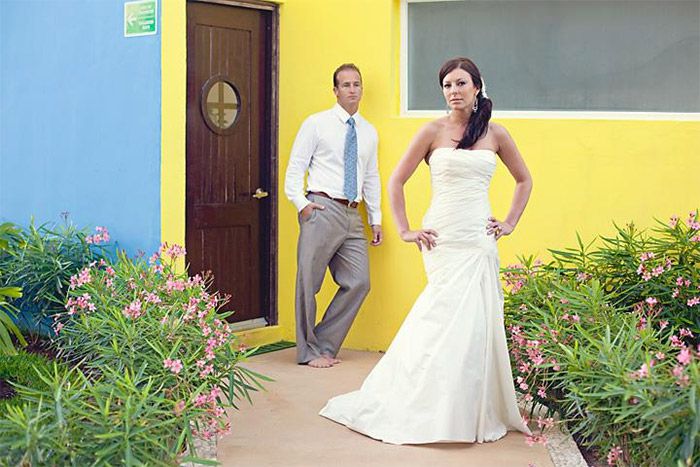
Cross Processing Photoshop Action

Retro Cross Photoshop Action
A cross processed effect is provided through this action to give your photos a nice retro look. This action is compatible with Photoshop CS3 and newer versions.

Faded Cross Process Photoshop Action

Marshmallow Photoshop Action
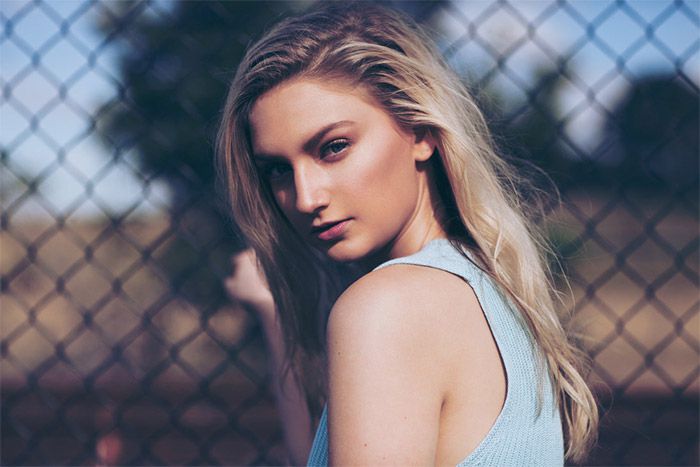
Free HDR Photoshop Action
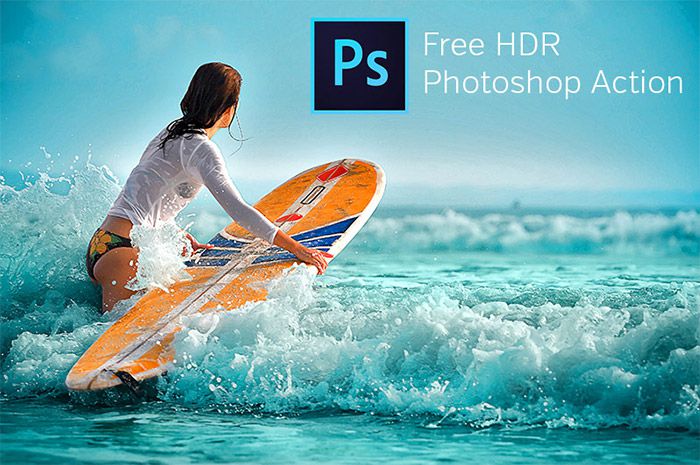
In this bundle you will get 13+ different photoshop actions by which you can create HDR like effects. Before downloading, check the samples given. It is compatible with Adobe Photoshop CS4 or higher.
Plexiglass

Premium Looks Photoshop Actions

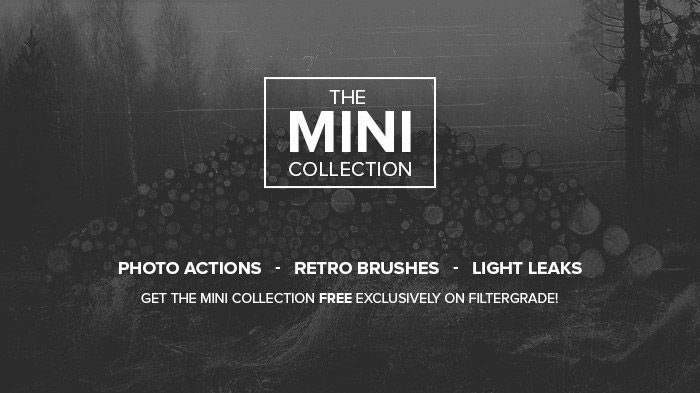
The Mini Collection
Bold Black & White Photoshop Action

This action is applicable for the professional and the photographers who take photography as their hobby. This plugin is completely free and it will help you to convert your colorful photo into bold black and white images. This preset is very much impressive. This plugin have some premium downloads as well. If you like this free plugin, you can go for the premium one. It is compatible with Photoshop CS3 or higher versions available.
Bold Black & White Photoshop Action

This action is applicable for the professional and the photographers who take photography as their hobby. This plugin is completely free and it will help you to convert your colorful photo into bold black and white images. This preset is very much impressive. This plugin have some premium downloads as well. If you like this free plugin, you can go for the premium one. It is compatible with Photoshop CS3 or higher versions available.
High Contrast Black & White Photoshop Action

This action is applicable for the professional and the photographers who take photography as their hobby. This plugin is completely free and it will help you to convert your colorful photo into bold black and white images. This preset is very much impressive. This plugin have some premium downloads as well. If you like this free plugin, you can go for the premium one. It is compatible with Photoshop CS3 or higher versions available.
Free Silver Photoshop Action

This is an amazing photoshop bundle. It includes more than 1000+ lightroom and 700+ photoshop presets. Besides, it includes some bonus print templates.
Aged Black & White Photoshop Action

This action will help you to give a aged black and white effect to your photos. This is an amazing plugin. It also provides a vintage look to your photos as well. We recommend you to download this wonderful action and try this out!
How to Install and Use Free Photoshop Actions
If you are a complete beginner, do not worry! Installing free Photoshop actions is incredibly simple. Just follow these easy steps:
Step 1: Download the File
Choose one of the free actions from the list above and download it to your computer. The file will likely be in a .zip folder. Double-click the folder to extract it. Inside, you will find a file ending in .atn (this is the actual action file).
Step 2: Open Adobe Photoshop
Launch your Photoshop application and open any photograph that you would like to edit.
Step 3: Open the Actions Panel
Look at the very top menu bar in Photoshop. Click on Window, and then scroll down and click on Actions. A new panel will open up on the right side of your screen.
Step 4: Load the Action
In the top right corner of the new Actions panel, there is a tiny icon with four horizontal lines (the panel menu). Click that icon, and then select Load Actions… from the drop-down list. Find the .atn file you downloaded on your computer and click Open.
Step 5: Play the Action!
Your new action will now appear in the Actions panel. Simply click on the name of the action to highlight it, and then click the small “Play” button (it looks like a triangle) at the very bottom of the panel. Sit back and watch Photoshop do all the hard work for you in a matter of seconds!
Free vs. Premium Photoshop Actions
As you search the internet, you will notice that while many actions are free, many others cost money. How do you decide which route to take?
Free Photoshop Actions:
- Best for: Beginners, hobbyists, and those running personal blogs on a tight budget.
- The Good: They cost absolutely nothing and are wonderful for learning how Photoshop works.
- The Bad: Free actions sometimes do not come with customer support. Also, they might only work well on a very specific type of photo, requiring you to tweak them manually.
Premium (Paid) Photoshop Actions:
- Best for: Professional photographers, digital marketing agencies, and full-time business owners.
- The Good: Premium actions are usually thoroughly tested to work perfectly on almost any photo. They often come in massive bundles (giving you 50 to 100 variations) and include step-by-step video tutorials and customer support.
- The Bad: They require a financial investment, which might not be necessary if you only edit photos once a month.
Our advice? Start with the high-quality free Photoshop actions listed in this guide. Once you master how they work and start generating income from your website or photography, you can confidently upgrade to a premium bundle.
Beginner Tips & Common Mistakes to Avoid
Even though actions are like magic buttons, you still need to use a little bit of common sense to get the best results. Here are the top tips to keep in mind:
1. Do Not Edit the Original Background Layer
Before you hit “Play” on any action, it is a very good habit to duplicate your original background photo layer (Press Ctrl+J on Windows or Cmd+J on Mac). This way, if the action completely ruins the photo, your original, untouched image is still safe and sound underneath!
2. Opacity is Your Best Friend
Sometimes, an action is just too strong. It might make the colors too bright or the shadows too dark. Do not panic! Look at the Layers panel. You can easily click on the folder that contains the action’s effects and lower the Opacity from 100% down to 50% or 60%. This dials back the intensity and makes the effect look much more natural.
3. One Action Per Photo
A very common beginner mistake is running five different actions on the exact same photo. If you run a vintage action, and then an HDR action, and then a neon color pop action on top of each other, your photo will turn into a messy, pixelated disaster. Stick to one primary action per image to keep your photography looking clean and professional.
4. Lighting Still Matters
An action cannot magically fix a completely black, underexposed photo or a completely white, overexposed photo. You still need to try your best to take a well-lit photograph with your camera before bringing it into Photoshop!
Summary and Conclusion
Learning how to utilize Photoshop actions for photographers is one of the smartest investments of time you can make. By downloading a few of the best free Photoshop actions we have discussed today, you can instantly transform your dull, unedited images into vibrant, professional, and breathtaking works of art.
They save you hours of tedious labor, they guarantee your brand looks incredibly consistent across all your platforms, and they provide a fantastic learning tool to help you understand the deeper mechanics of Adobe Photoshop.
However, remember the golden rule of digital marketing: A beautiful image is useless if nobody can see it! If you are going to put the effort into crafting gorgeous, optimized images for your blog or business, you absolutely must ensure that your website platform is robust enough to handle them.
Frequently Asked Questions (FAQs)
1. Do free Photoshop actions work on both Mac and Windows?
Yes, absolutely! Photoshop actions are simple .atn files. Because Adobe Photoshop operates exactly the same way on both Mac and Windows operating systems, the action files are completely universal and will work perfectly regardless of the computer you use.
2. Will downloading an action give my computer a virus?
As long as you are downloading your free actions from reputable, well-known photography websites and trusted design blogs, they are perfectly safe. An .atn file itself cannot execute a virus. However, always be cautious of shady, unknown websites, and ensure you are only downloading the .atn or .zip file, not a .exe program file.
3. Can I use Photoshop actions in Adobe Lightroom?
No. Photoshop actions (.atn files) are coded specifically for the Adobe Photoshop software. If you use Adobe Lightroom, you need to search for “Lightroom Presets” instead. While they accomplish a very similar goal, the file types are entirely different and cannot be swapped between the two programs.
4. How do I delete an action if I do not like it?
It is very simple! Open your Actions panel in Photoshop, click on the name of the action or the action folder that you no longer want, and simply click the small trash can icon located at the very bottom right corner of the Actions panel.
5. Can I create my own Photoshop actions?
Yes! Creating your own actions is a fantastic way to speed up your specific workflow. In the Actions panel, just click the “Create New Action” button (it looks like a square with a plus sign), name it, and hit “Record.” Photoshop will now record every single edit you make. When you are finished editing, hit the “Stop” square button. You have just created your very own action!


Epic freebies, thanks!