


We are providing the list of top 10 tutorials and plugins for responsive navigation menus in this post. These tutorials are tested and used by thousands of users worldwide to convert the desktop navigation menu into responsive navigation menus.
If you don’t want to put yourself into coding practice, then the given example of plugins could be excellent.
Response web designing is one of the spiciest trends of 2012 among web developers and designers. Many new plugins, themes, and tools are designed every day to extend the horizon of responsive web designing.
It is undoubtedly true that responsive web design is one of the most useful technologies, but the work done behind this successful play is impressive.
Whether it is a simple plugin or complicated programming, the web developer’s tough job is to make the websites compatible with every display measurements.
The responsive navigation menus are too a critical phase where the developers feel stuck. The things go to the peak of confusion when choosing the navigation menu for small screen sizes like mobile phones and iPods.
Besides the complicated coding section, many other things make the situation worse, like deciding what will stay in the menu option and the things that need to be removed to fit the web page in the small display screens.
To save you from this hassle, we provide you a list of the top 10 free responsive navigation menus and tutorials here.
Mobile menu jQuery Plugin

Mobile menu is another Plugin that converts the navigation of your web page into drop down
Responsive Navigation Menu Tutorial
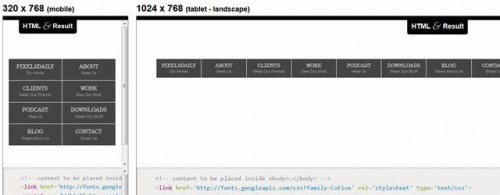
In this post from Design Shack; the tutorial for responsive navigation menu is explained through simple steps. In this post the navigation menus for different screen sizes like 1220 px, 930 px, 580 and 320 px are designed using simple and innovative technology. You too can use these codes to create the navigation menu for your responsive web page. These codes can be edited according to the resultant menu and choice.
Progressive and Responsive Navigation

This is one of the best responsive navigation tutorial from Smashing Magazine that effectively elaborates the concept of Responsive navigation. In this post; the coding for navigation is explained step by step that makes it easy to understand as well as implement.
TinyNav.Js

TinyNav is a small jQuery plugin of just 399 bytes in size. This plugin converts and navigations into the select boxes that can be implemented on small screens. The key feature of this plugins is its smaller size as compared to the other plugins of its class.
HorizontalNav

HorizontalNav has been yet another jQuery plugin that expands a horizontal navigation to robust the complete area of the container. This plugin sweeps away the complicated hassle of writing codes for the navigation menus. If you too are looking for easy navigation menus than this plugin could be your choice.
Responsive Mobile-First Navigation Menu
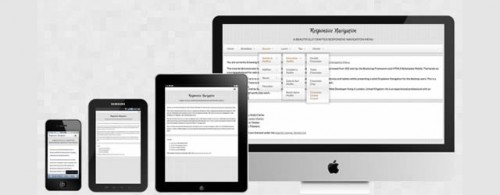
This tutorial is an ideal solution for developing simple responsive navigation menus. This tutorial concentrates on the Mobile-first approach of development that incorporates the hierarchical order. It facilitates the mobile device users with the native user interface.
SelectNav.js

SelectNav.js is one of the most popular JavaScript plugin that enables you to convert your website routing into a
Simple Responsive Menu

This is unquestionably one of the most simple tutorial to turn your desktop navigation menu into small menus for mobile devices. This is not one of the most attractive solution but it is an ideal solution for novice developers and tech. Savvies. If you too are looking a simple to understand and use tutorial then this tutorial can give you a way.
Responsive Drop Down Navigation Menu

The tutorial in this post is based on the Suckerfish Dropdowns to design the responsive drop down navigation menus. This innovative and useful tutorial is corporate with 320 and up but it can also be adapted with HTML5 Boilerplate and many more.
Convert a Menu to a Dropdown for Small Screens
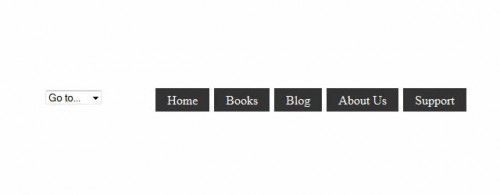
This is undoubtedly one of the best tutorial you will search for. This tutorial enables you to convert a menu into
I hope that these tutorials and plugins will help you to make your responsive navigation menus. Please feel free to suggestions some other tools, tutorials and plugins that you used for your responsive navigation menus in the comment. Have Fun 🙂
We would love to hear your opinion, so please comment below. And don’t forget to subscribe to the RSS-feed and follow Pixel2Pixel Design on Twitter + Facebook.


Thank you Suresh I really found this information very useful. Responsive web design is an area that I’m currently very interested in. I’m kind of learning it from almost scratch.
Your welcome Ivan
Wonderful Compilation of responsive plugins & tuts!! Thank you so much!!!
Your welcome Crystal 🙂